A federated design system that improved adoption, documentation and delivery across product teams.
Role
Design System Lead & UX Designer
Period
2021–2025
Scope
Strategy, governance and delivery
At a glance
A design-system transformation that improved consistency, accessibility and delivery across a large enterprise product portfolio.
Problem
Teams were creating their own patterns because the existing library was rigid, documentation was fragmented and contribution paths were unclear. This increased design debt, slowed delivery and weakened accessibility consistency.
My contribution
I led the design-system direction, audited gaps and shaped the roadmap, token architecture, components and governance model. I worked with designers, engineers and product teams to align implementation, improve documentation and support adoption at scale.
What made it complex
90+ product teams with different product needs
Figma, Storybook and coded component alignment
Existing products could not pause for a full rebuild
Governance, contribution and versioning across global teams
Problem → response → value
Enterprise Design System: scaling a product, not just a library
Design and engineering teams needed a shared system flexible enough for real product constraints.
User / team problem
Why it mattered
Design response
Value / evidence
Inconsistent interface patterns
Teams repeatedly built similar components in different ways.
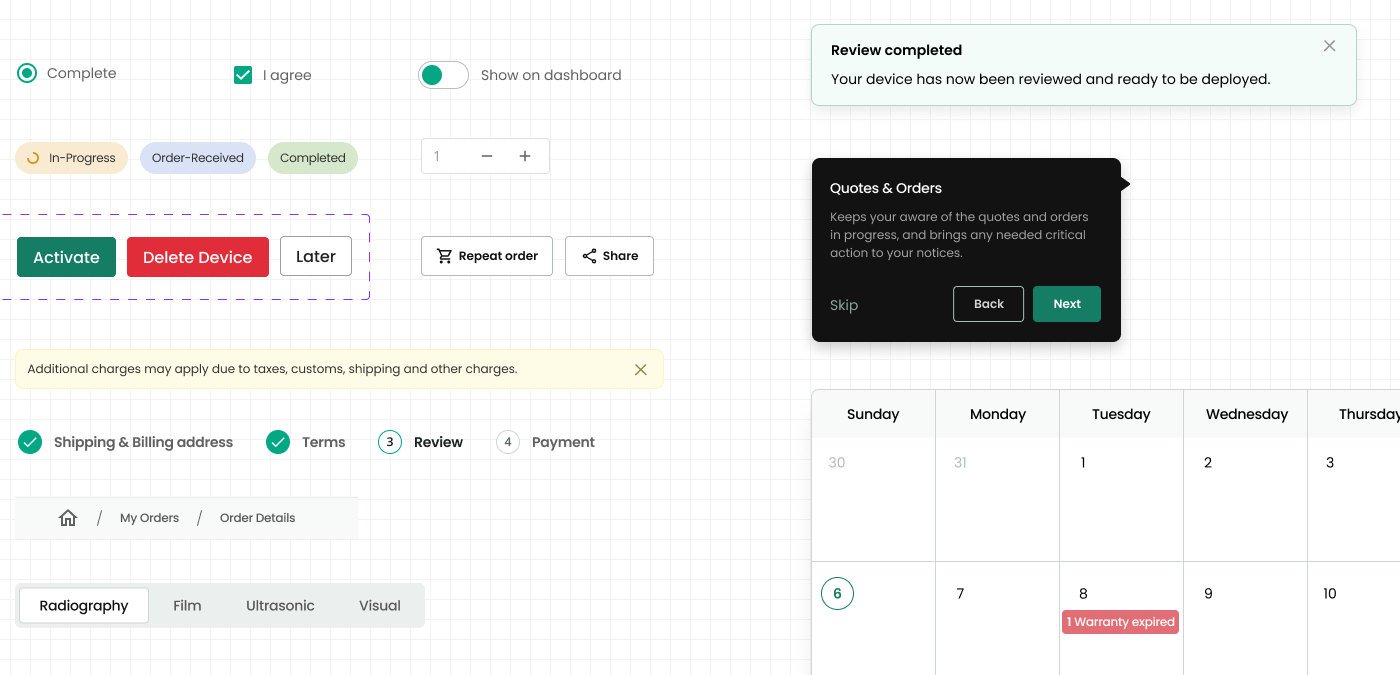
Standardised foundations and reusable patterns across Figma and implementation documentation.
Greater product consistency and reduced duplication.
Rigid components
Teams worked around components that could not meet product needs.
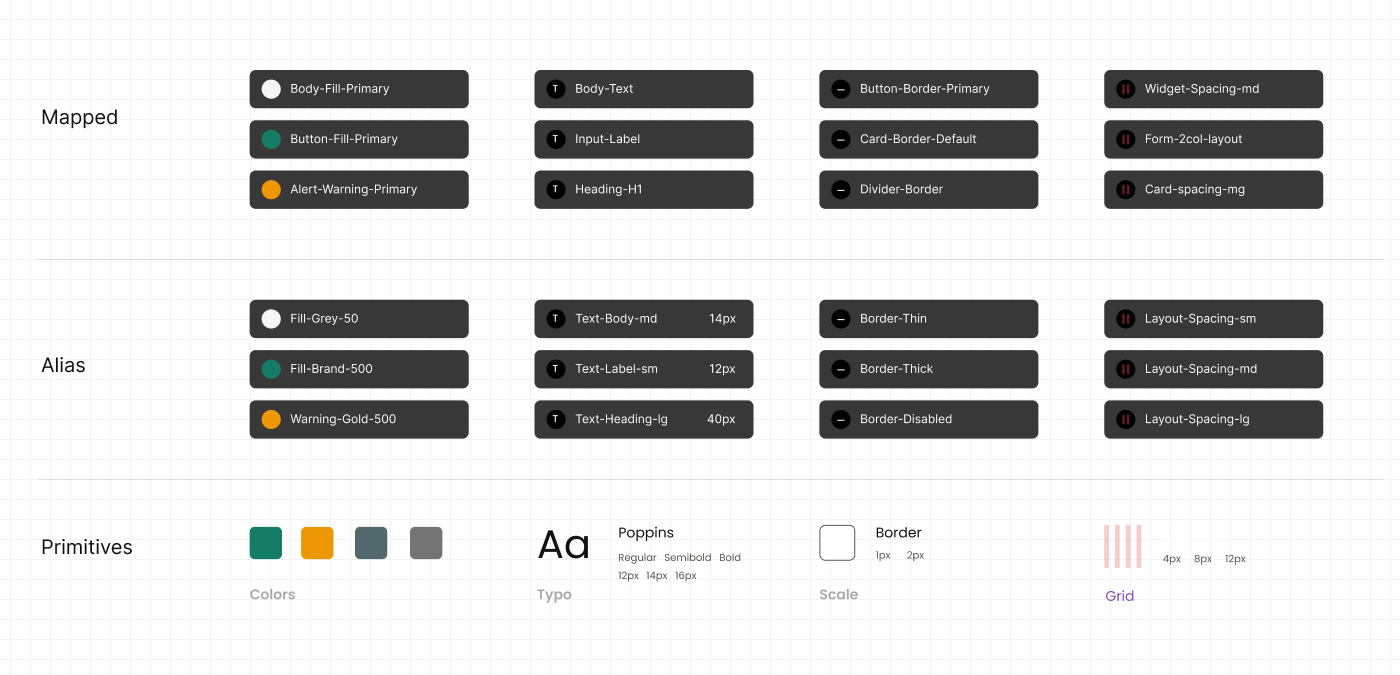
Introduced a scalable three-tier token model and more flexible component architecture.
Better multi-brand adaptability and practical reuse.
Scattered documentation
Designers and engineers lacked one clear source for usage and implementation guidance.
Connected Figma libraries, Storybook and Zeroheight documentation.
More reliable handoff and shared understanding.
Unclear contribution process
Product teams lacked a predictable path for requesting and improving components.
Established federated contribution, review and governance practices.
Portfolio reports 203% adoption growth; verify baseline and period.
Backlog and release friction
Unprioritised requests slowed improvements and reduced trust.
Triaged issues and communicated staged improvements and release decisions.
Portfolio reports 98% backlog reduction; validate how calculated.
Measurable outcomes
Outcomes at a glance.
The clearest customer, delivery and business outcomes from the work.
203%increase in adoption
310%growth in library size
98%reduction in backlog
80%faster turnaround
Detailed case study
Challenge
Repair the foundation without disrupting live teams.
Rigid components, inconsistent documentation and a growing GitHub backlog were reducing trust in the system.
The work required technical collaboration, a clear contribution model and staged improvements rather than a disruptive rebuild.
Approach
Diagnose, prioritise and improve in manageable releases.
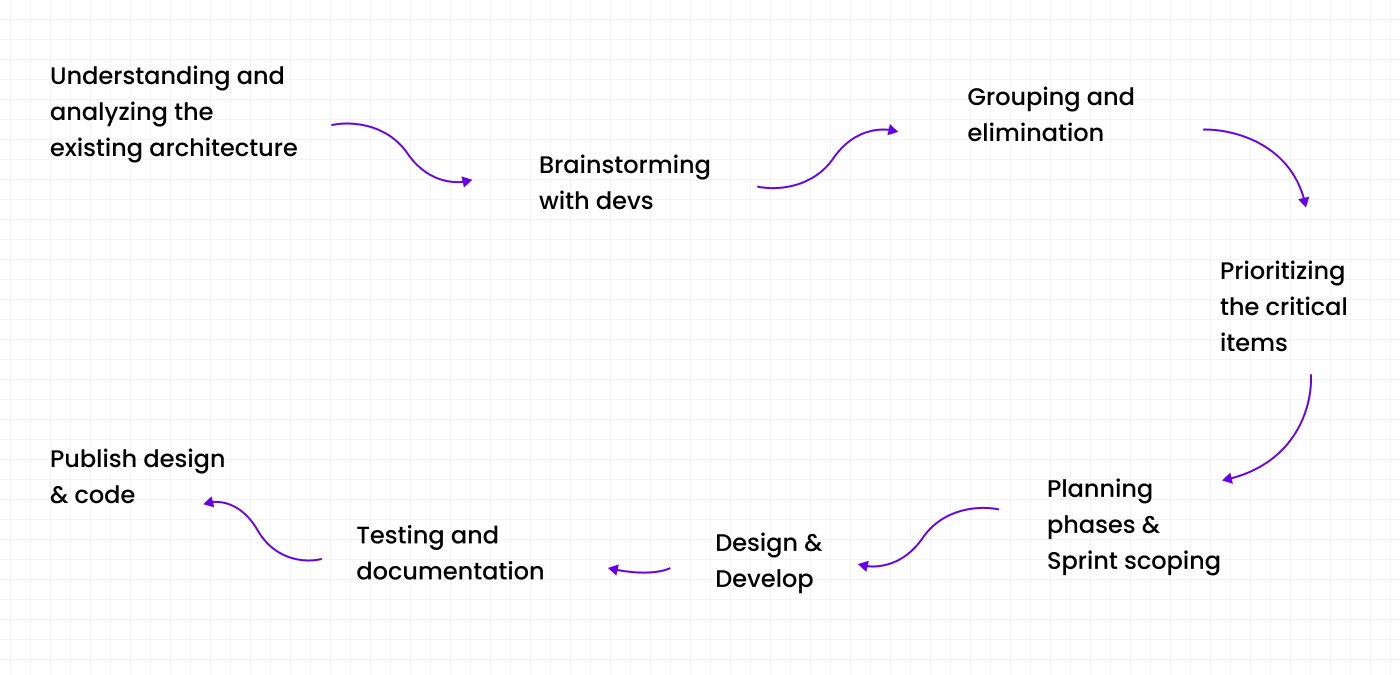
I reviewed the design and code architecture with developers, grouped issues, prioritised critical work and published improvements with testing and documentation.
Roadmap
Make progress and trade-offs visible.
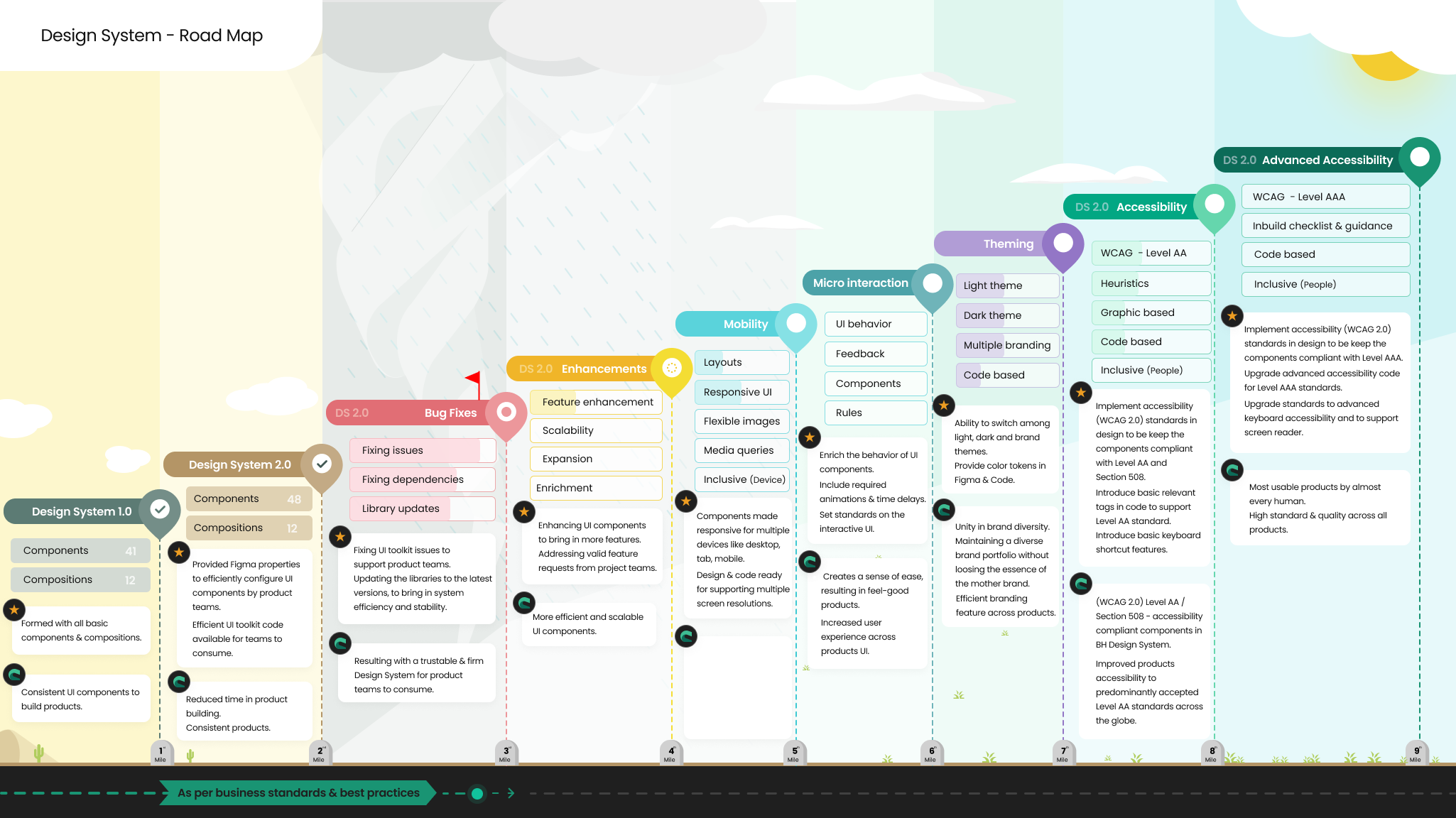
A shared roadmap aligned teams on foundations, accessibility, mobility, micro-interactions, theming and future maturity.
Architecture
A three-tier token model for scale.
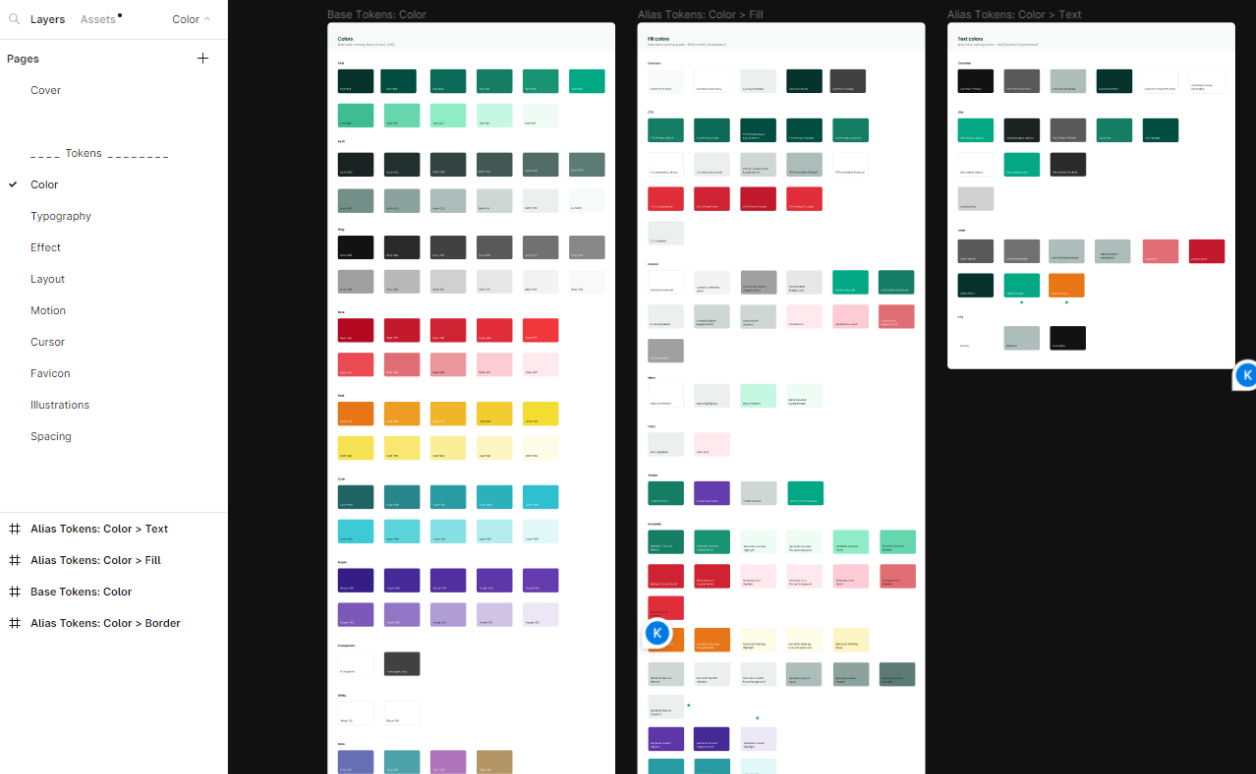
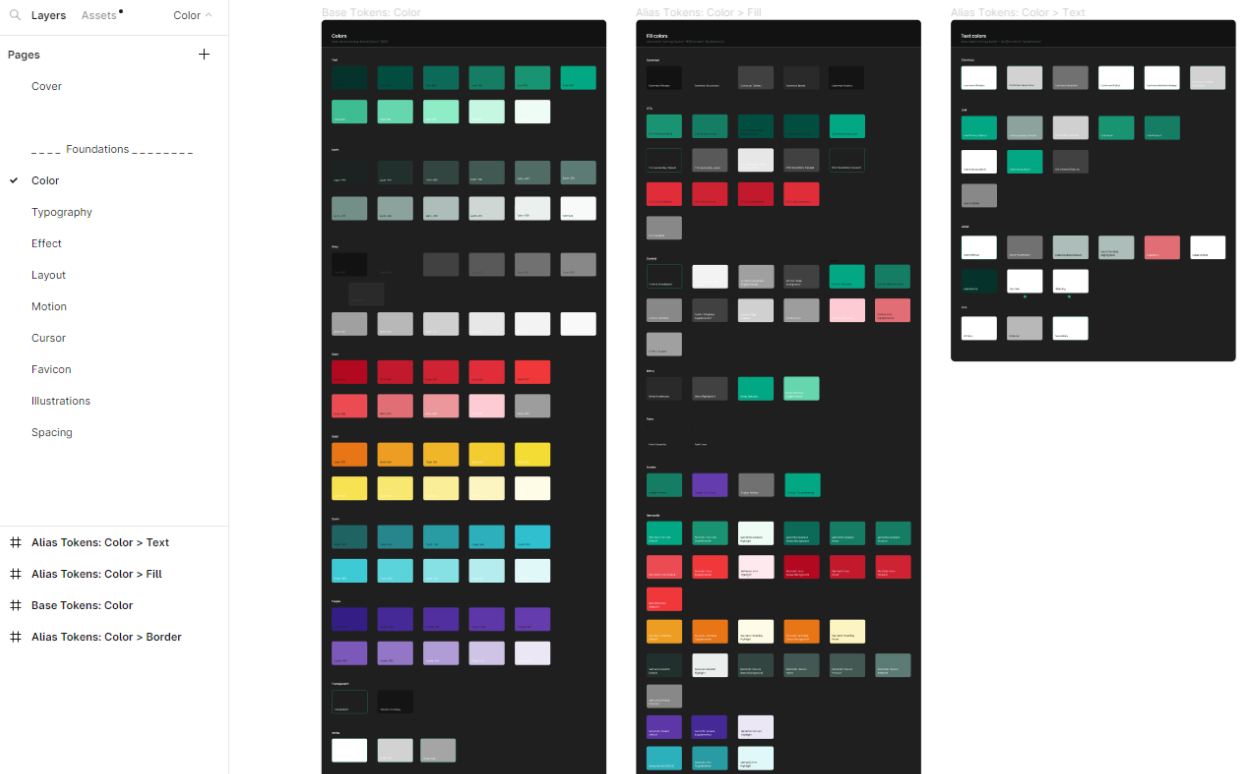
Primitive, alias and mapped tokens separated raw values from semantic and component decisions, supporting multi-brand products and themes.
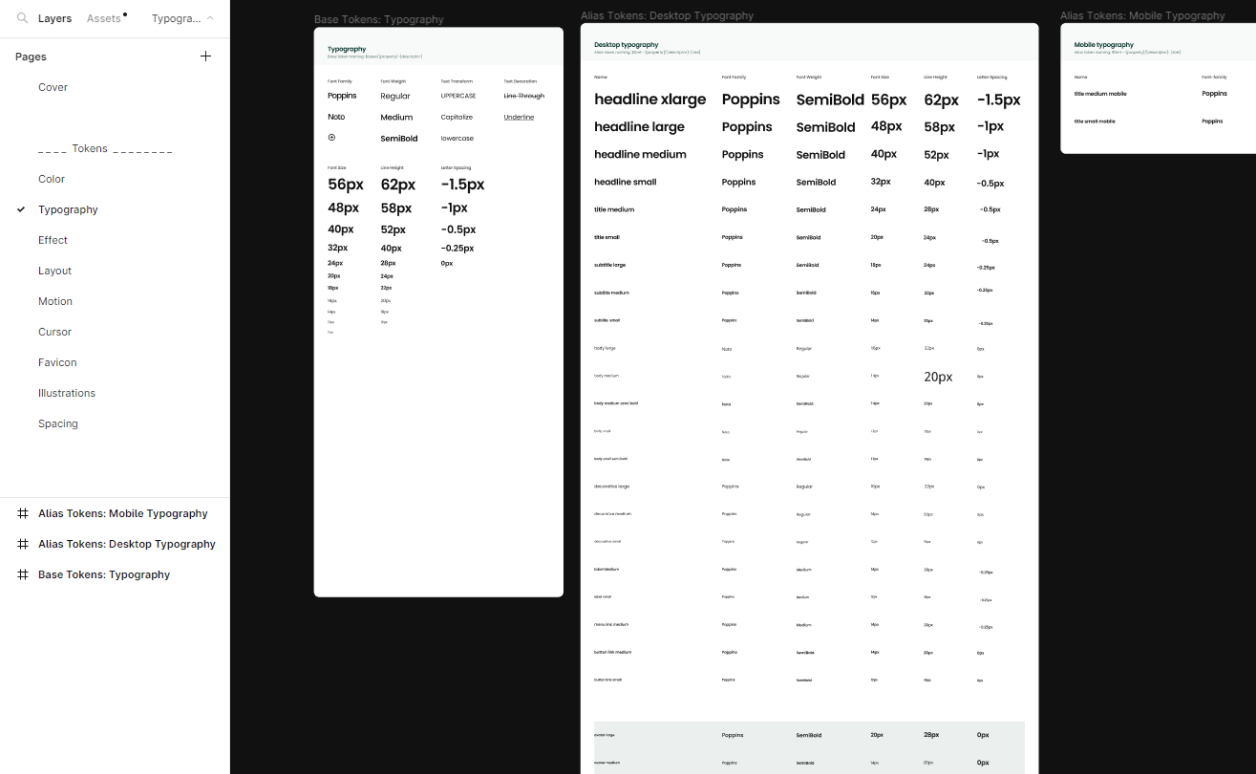
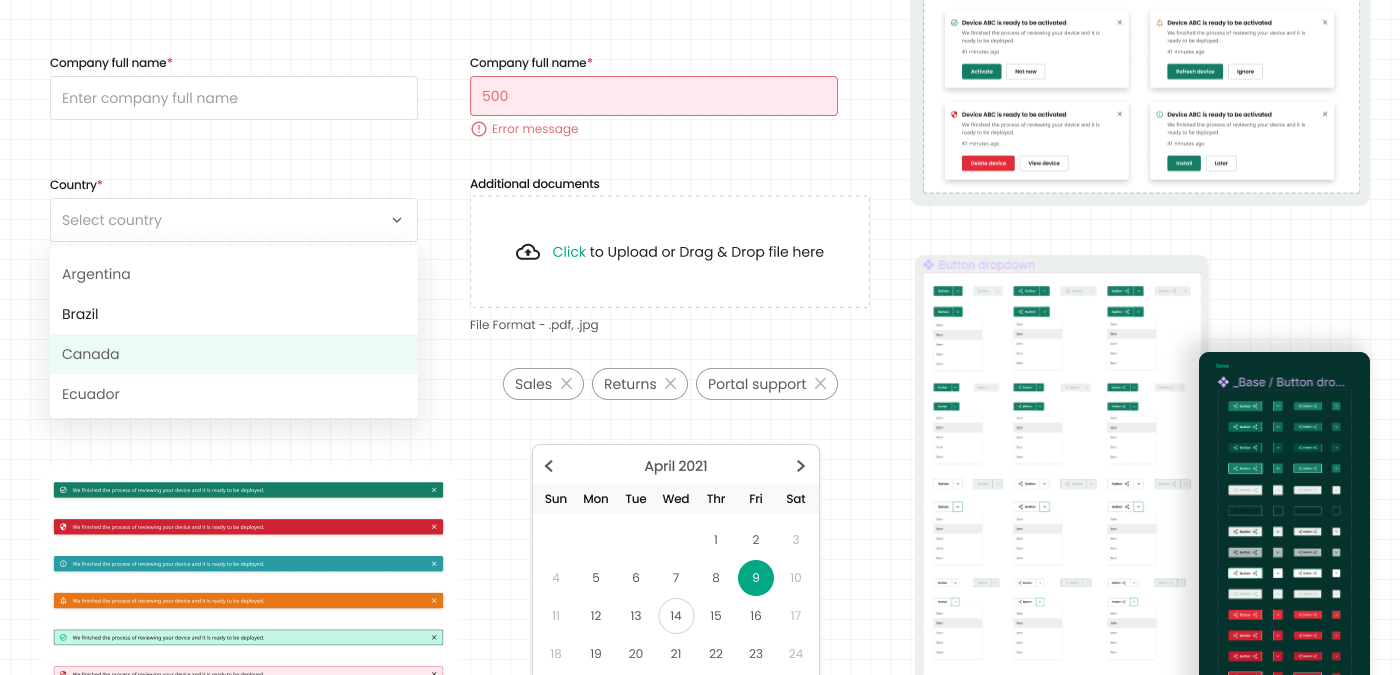
Light-theme foundations and semantic token sets.Dark-theme foundations using the same token architecture.Responsive typography foundations for desktop and mobile.Accessible components, states and usage patterns.
Governance mattered as much as components. I introduced a federated contribution model and steering committee so product teams could help shape priorities, contribute safely and reduce the backlog together.
Design decisions and impact
From design decisions to delivered value.
These final sections make the collaboration, quality and outcome behind the screens easy to assess.
Working together
Product, engineering and business alignment
Worked with designers, front-end engineers, product leads and vendor teams through a federated contribution model. A steering group clarified decisions, release priorities and deprecation paths without blocking product delivery.
Accessibility and quality
Designed into the delivery
Embedded accessibility into component specifications, states and documentation. Contrast, focus, keyboard interaction, semantic intent and responsive behaviour were reviewed as part of definition and delivery rather than treated as a final audit.
Results
Outcome delivered
The system supported more than 90 product teams, grew adoption by 203%, improved delivery efficiency and reduced duplicated design and implementation work.
Reflection
What I’d explore next
The key learning was that adoption is an operating-model challenge, not only a component challenge. Future improvements would deepen usage analytics and connect contribution, release notes and migration guidance more closely.