Making secure identity workflows easier to use and trust.
UX leadership across three releases of a biometric platform spanning administration, enrolment and authentication.
Role
Senior UI/UX Designer
Period
2019–2021
Scope
Research, UX, accessibility and design system
At a glance
A secure biometric identity platform redesigned to make high-risk enrolment and verification workflows clearer for operators, administrators and applicants.
Problem
The technology could capture and match biometric data, but fragmented workflows and unclear failure states made the experience difficult to learn and trust. Failed capture also created operational cost and repeat work.
My contribution
I led UX discovery and workflow design, mapped capture and recovery pain points, and created accessible interaction and component patterns. I partnered with domain specialists, product stakeholders and engineers to validate solutions against security and operational requirements.
What made it complex
Security-sensitive government workflows
Face, fingerprint and mobile capture across devices
Three user groups with different levels of expertise
Strict technical, quality and error-handling requirements
Problem → response → value
Biometric Identity: clarity in high-stakes workflows
Operators and administrators needed predictable guidance and recovery without weakening security.
User / team problem
Why it mattered
Design response
Value / evidence
Uncertain capture quality
Operators could proceed without knowing whether biometric data met quality requirements.
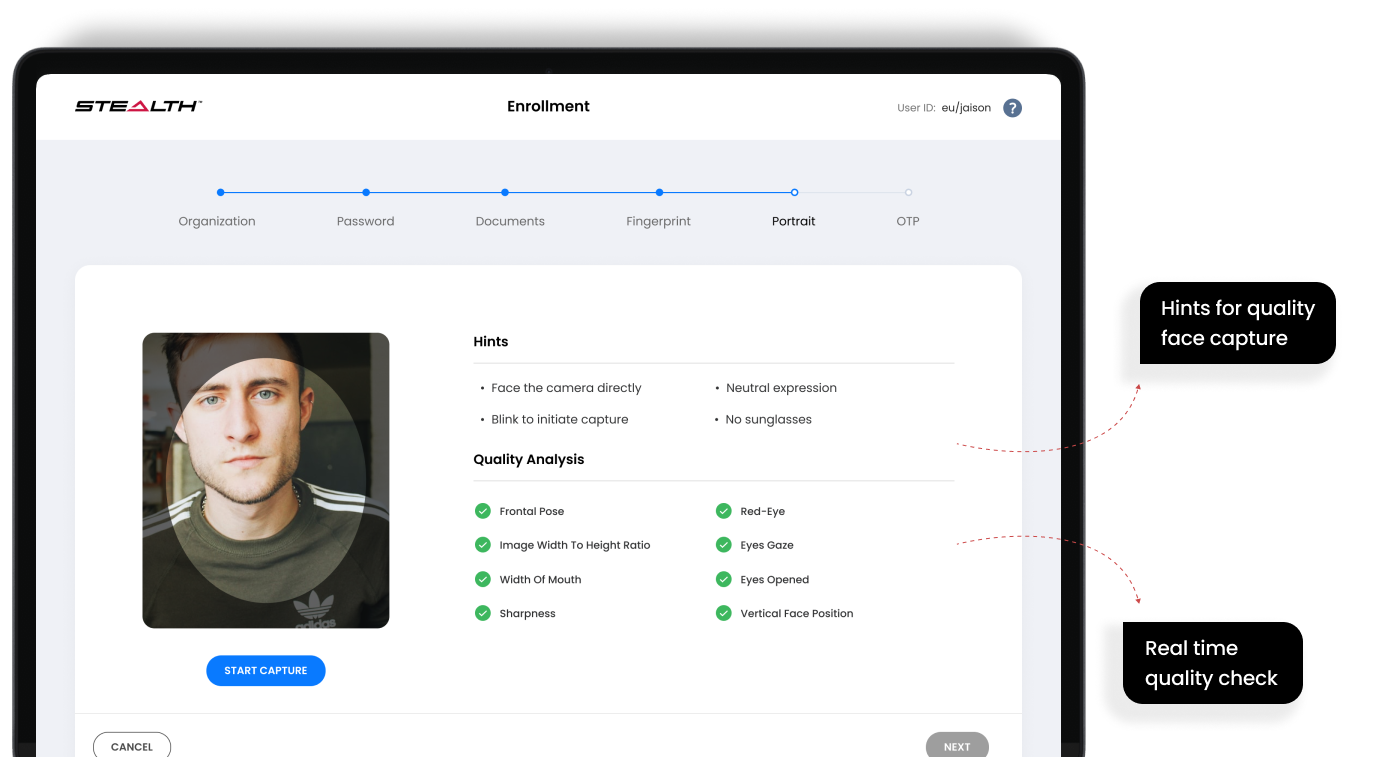
Designed contextual capture guidance, quality feedback and clearer next actions.
Less rework and greater confidence; validate a capture-specific metric before quantifying.
Fragmented enrolment
Multiple steps and systems made progress difficult to understand.
Mapped the end-to-end journey and introduced a guided, progressive flow.
The case study reports faster enrolment and improved task completion.
Confusing errors
Error messages did not consistently explain how to recover.
Made validation messages actionable and tied them to the current task.
Reduced uncertainty and repeated attempts; qualitative benefit.
Limited administrative visibility
Administrators struggled to spot exceptions and incomplete tasks.
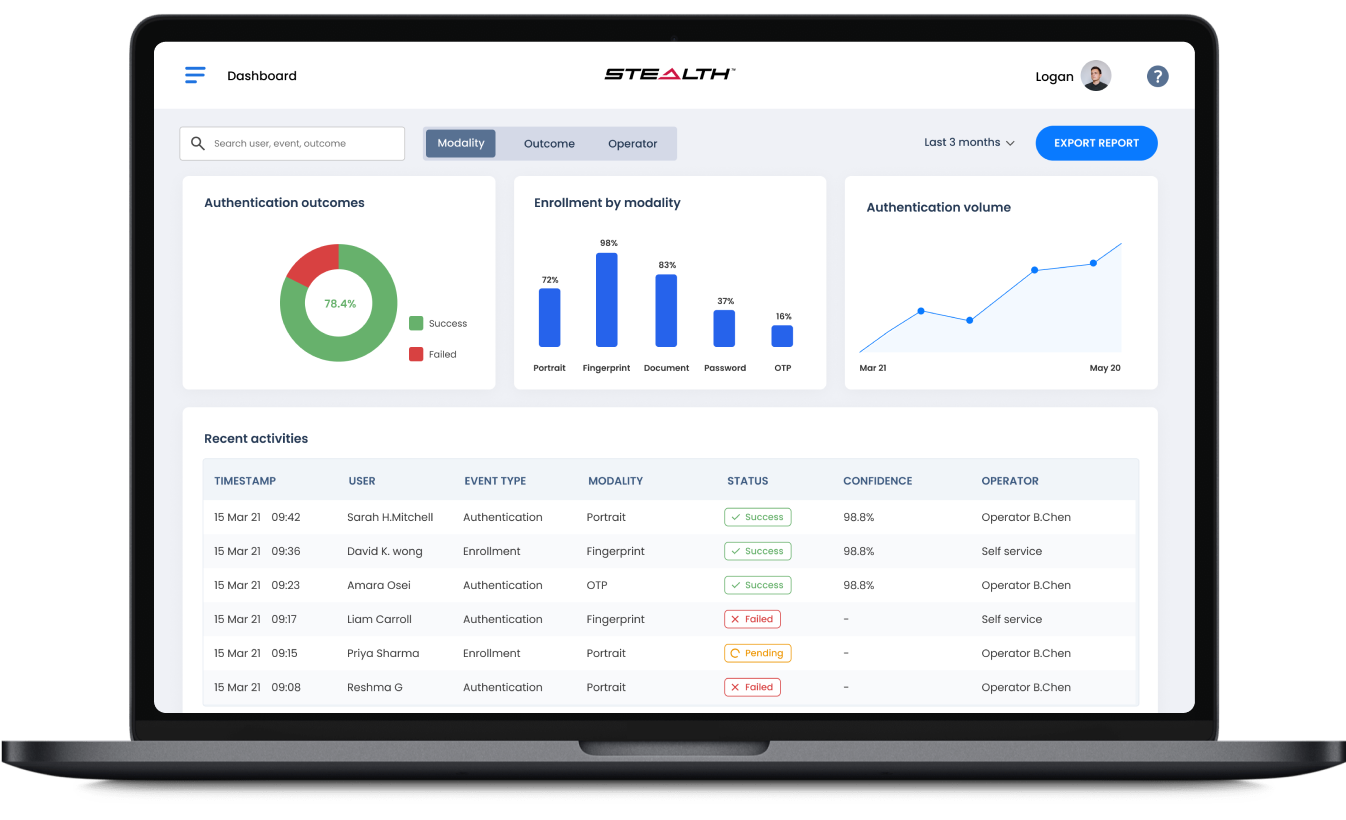
Prioritised statuses, exceptions and actionable dashboard information.
People with different levels of experience needed an inclusive workflow.
Applied accessible patterns, readable hierarchy and predictable controls.
Supports WCAG-aligned usability and more inclusive task completion.
Measurable outcomes
Outcomes at a glance.
The clearest customer, delivery and business outcomes from the work.
3×faster biometric enrolment
60%fewer support tickets
92%admin task completion
WCAG AAacross platform surfaces
Detailed case study
Problem
Security was strong, but the experience was hard to understand.
Administrators lacked task orientation, operators lacked capture feedback and end users lacked trust signals.
I led end-to-end UX across the admin console, enrolment flows, authentication interfaces and the shared component system.
Research
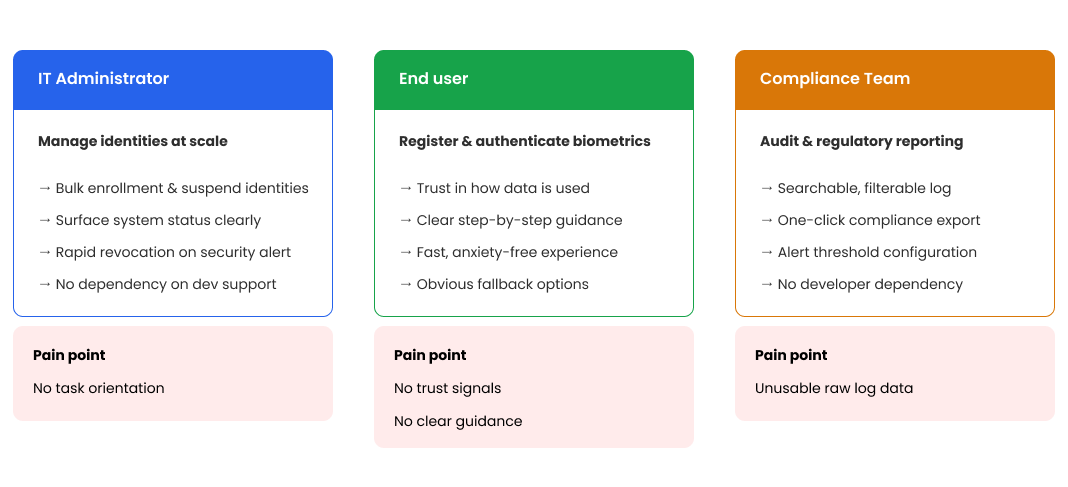
Design for three very different user groups.
IT administrators, end users and compliance teams each had distinct goals and pain points. Making these visible helped the team avoid a one-size-fits-all interface.
Architecture
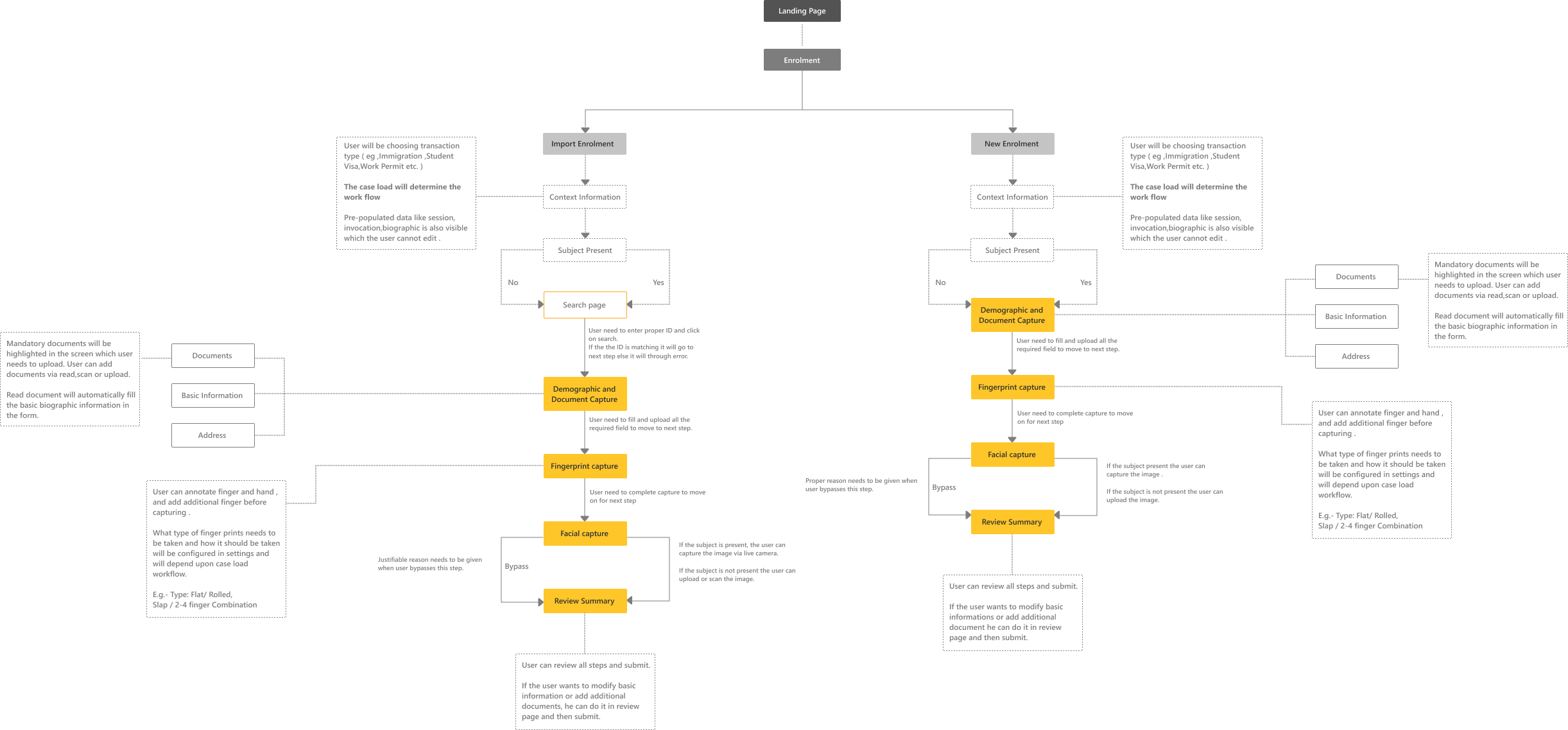
Map the full enrolment journey and its failure points.
The flow exposed dependencies across documents, biometrics, validation and review, helping product and engineering align before detailed design.
Problem definition
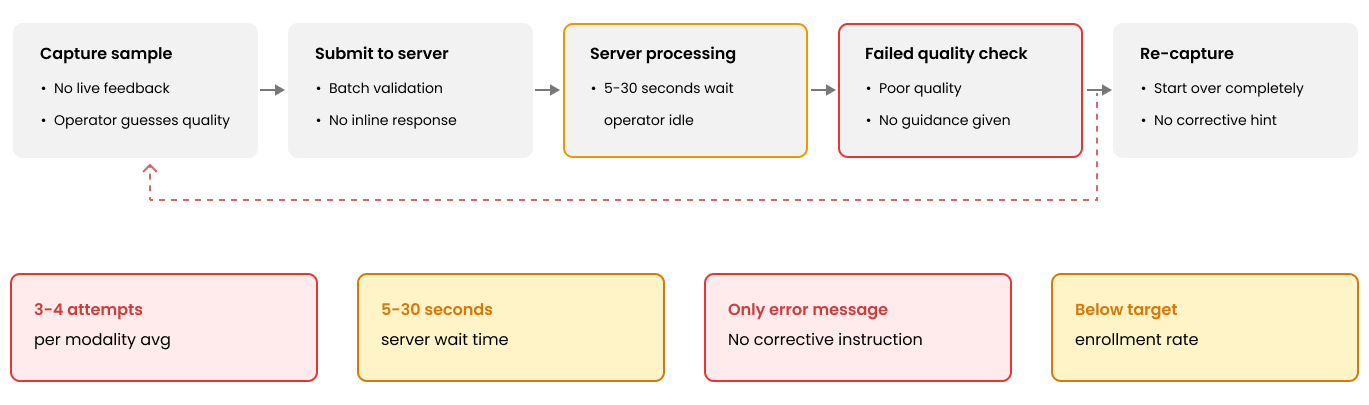
Show why failed capture was costly.
Operators submitted samples without live quality feedback, waited for processing and often had to start again. This evidence supported real-time guidance as a priority.
Before
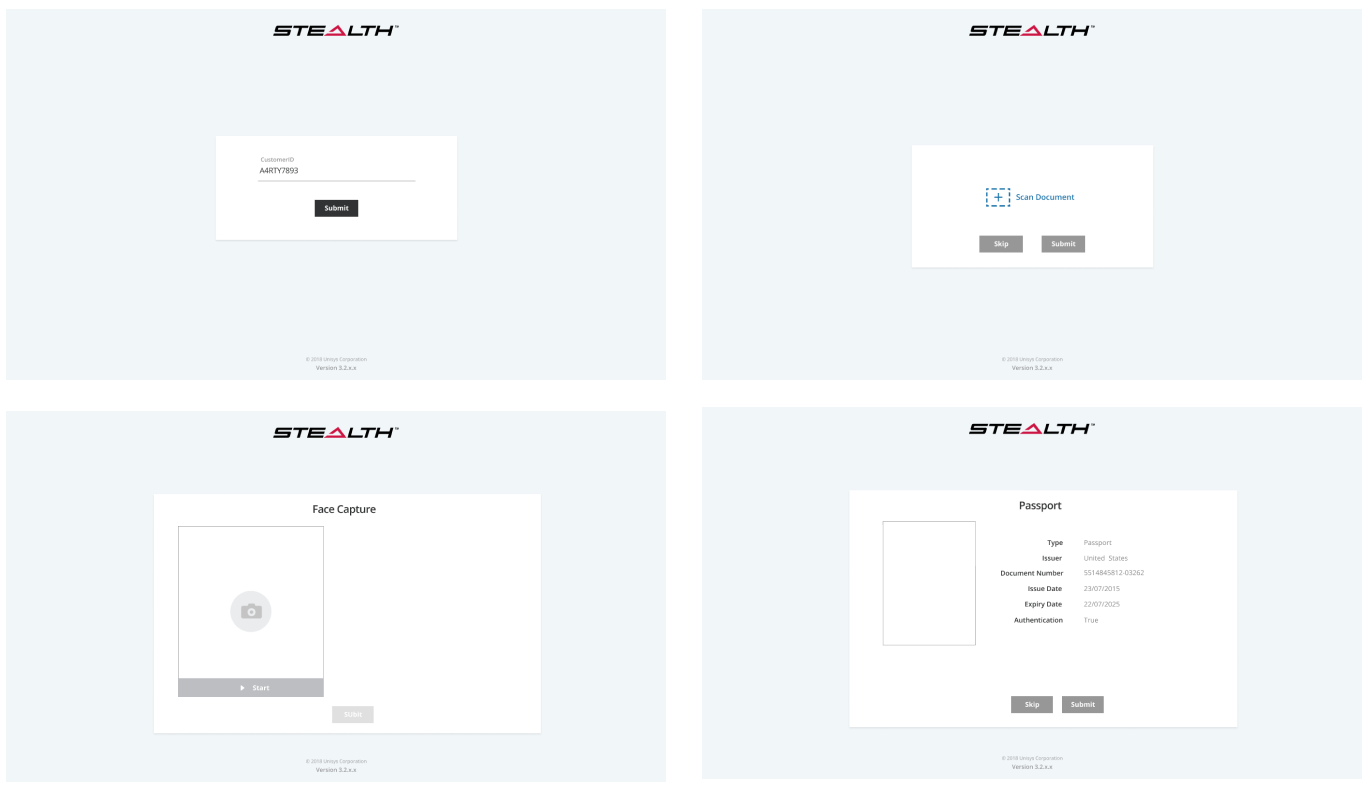
A technically functional but fragmented experience.
The previous interface lacked hierarchy, consistency and guidance across capture steps.
Improved experience
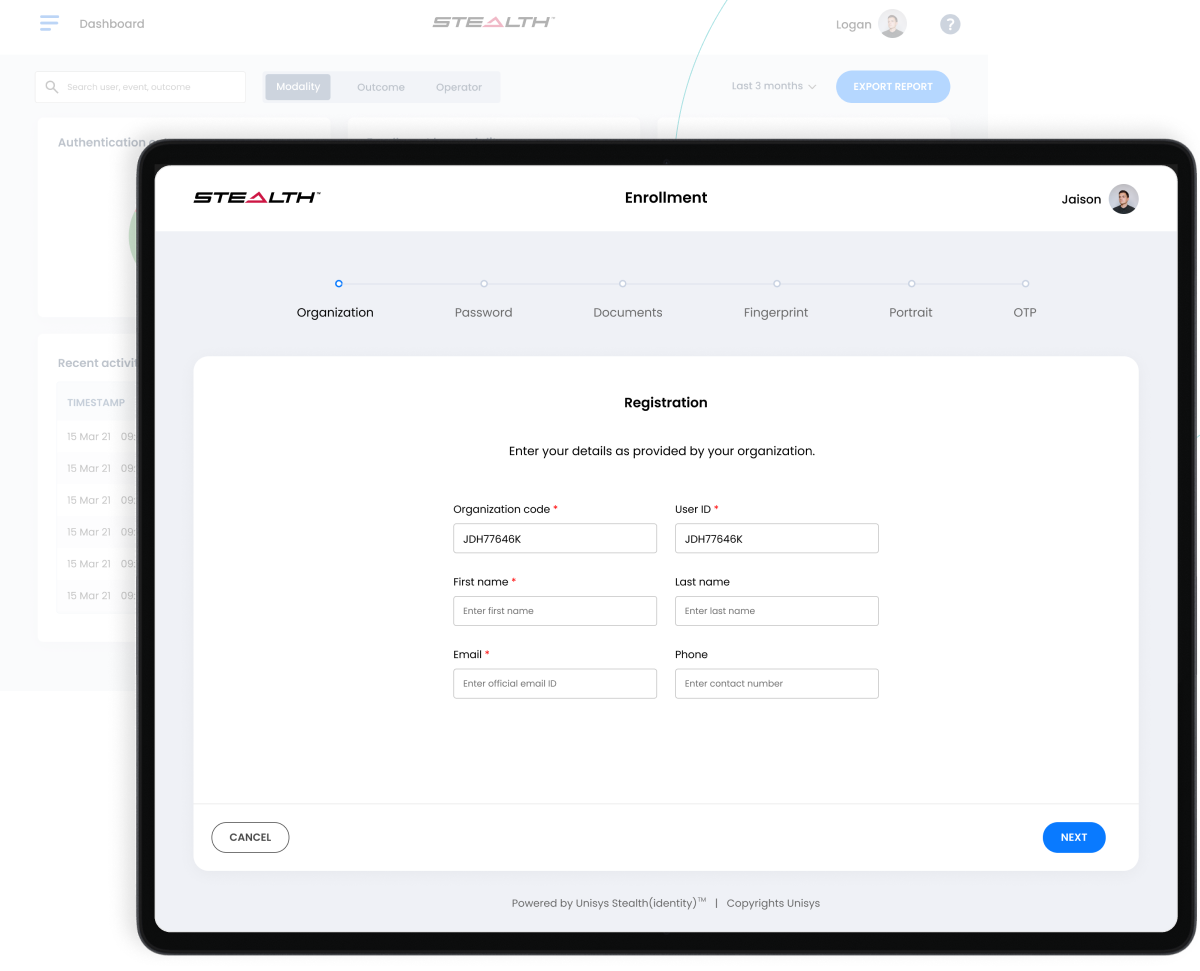
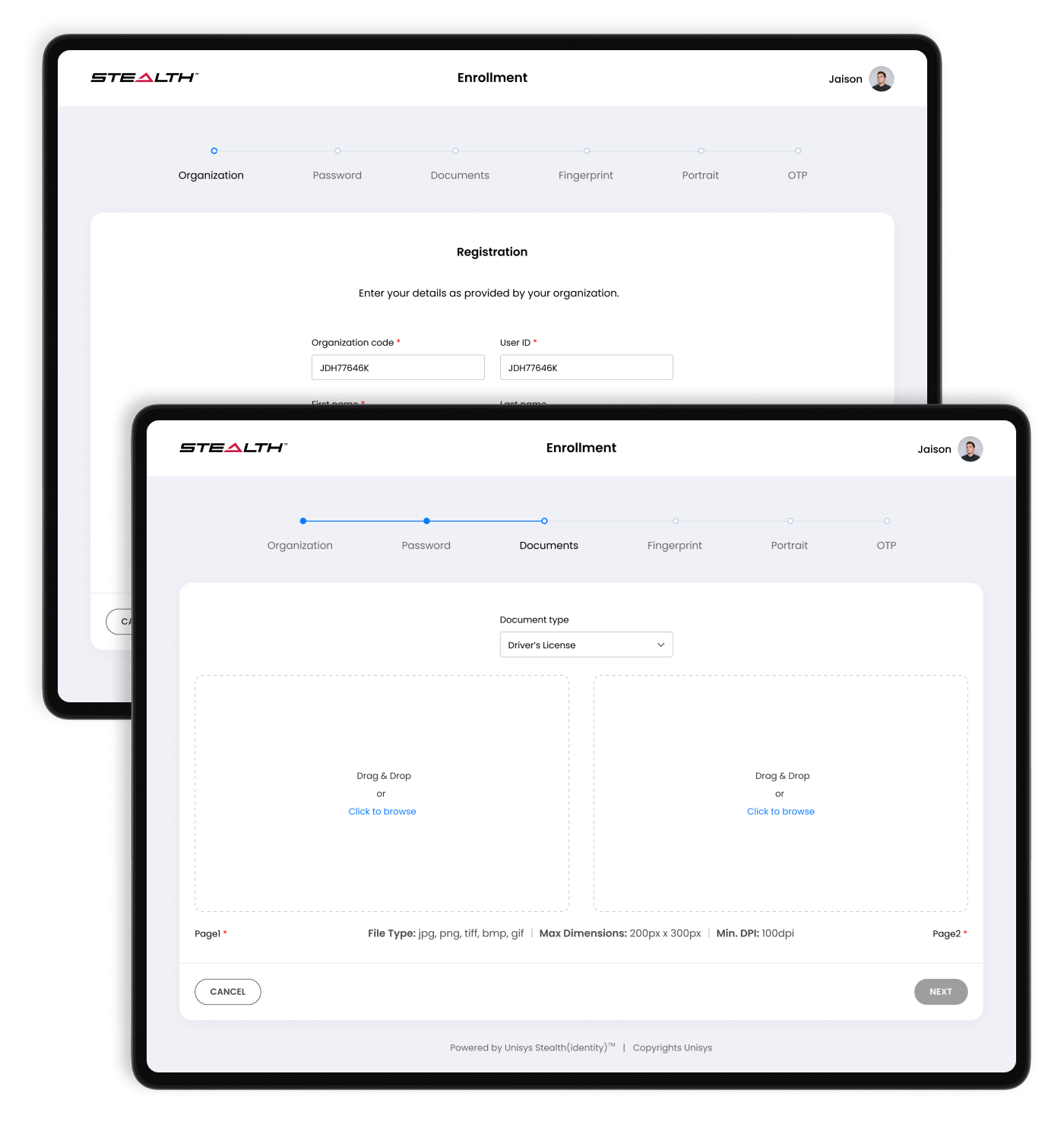
A clearer, guided journey from enrolment to review.
The redesigned flow introduced visible progress, stronger hierarchy and contextual guidance, helping operators complete identity enrolment with greater confidence and fewer errors.
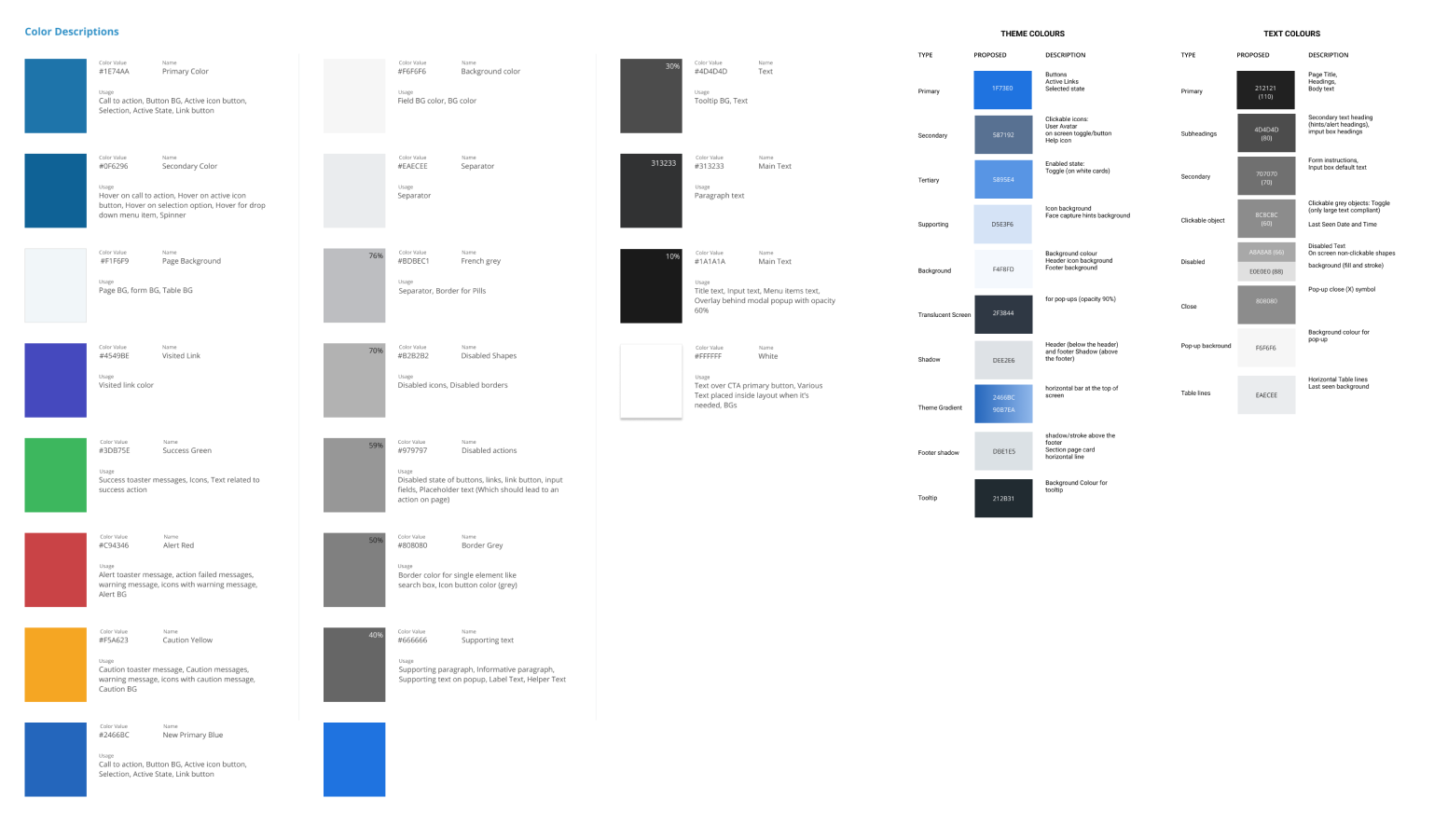
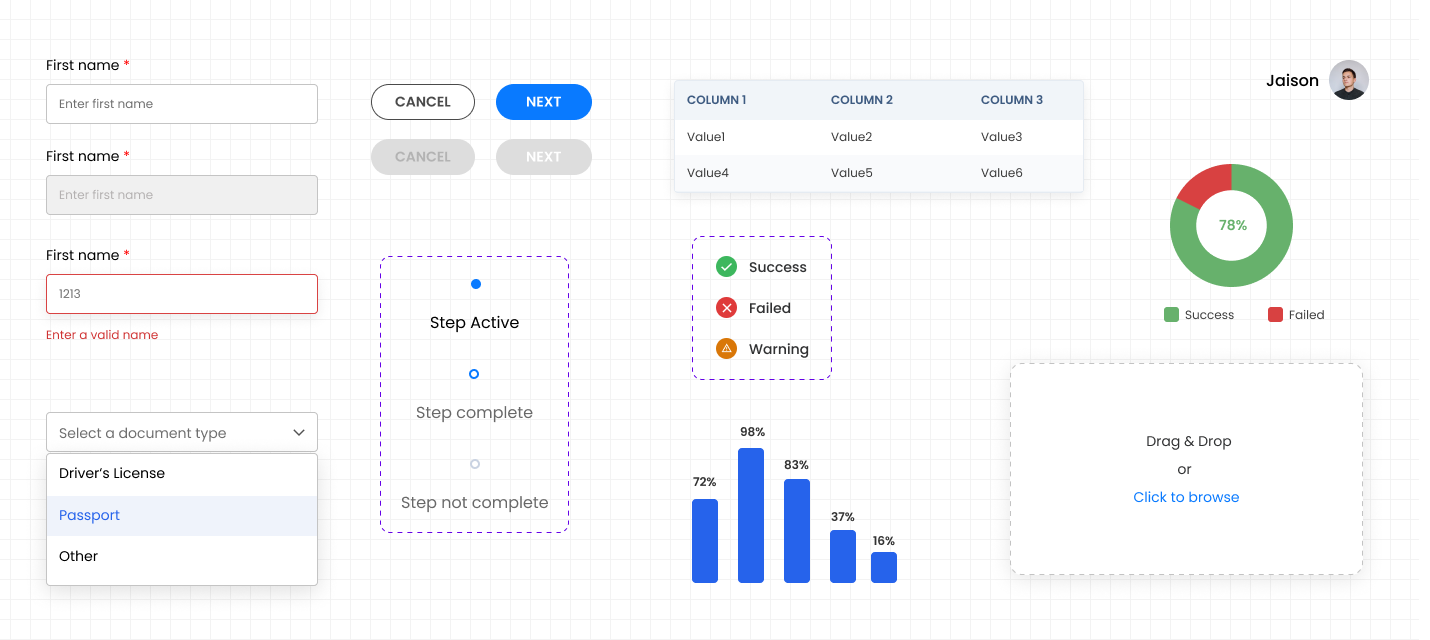
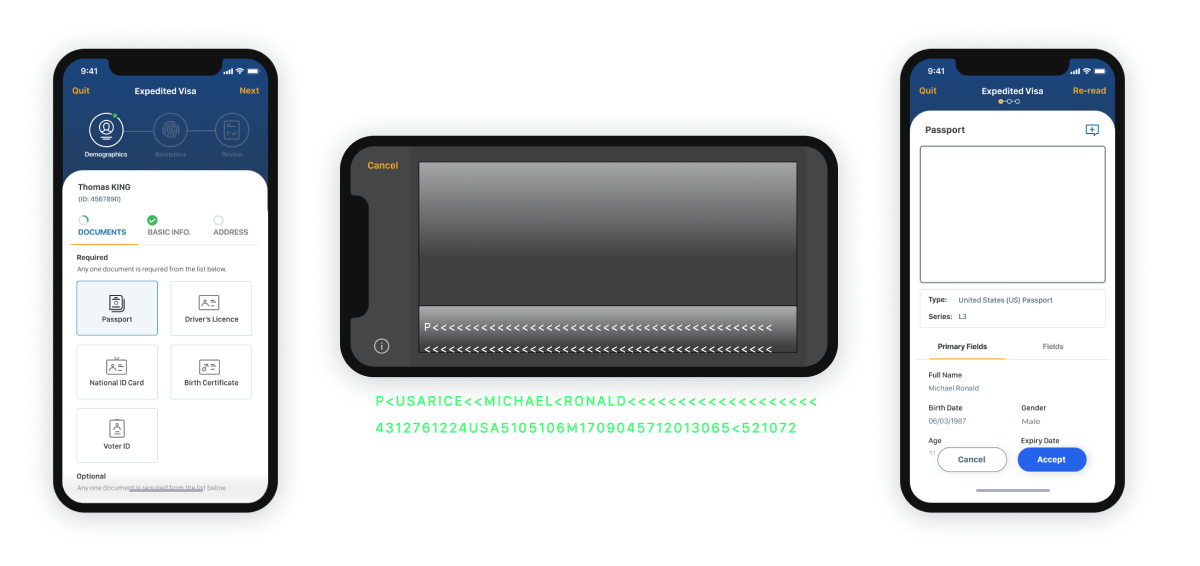
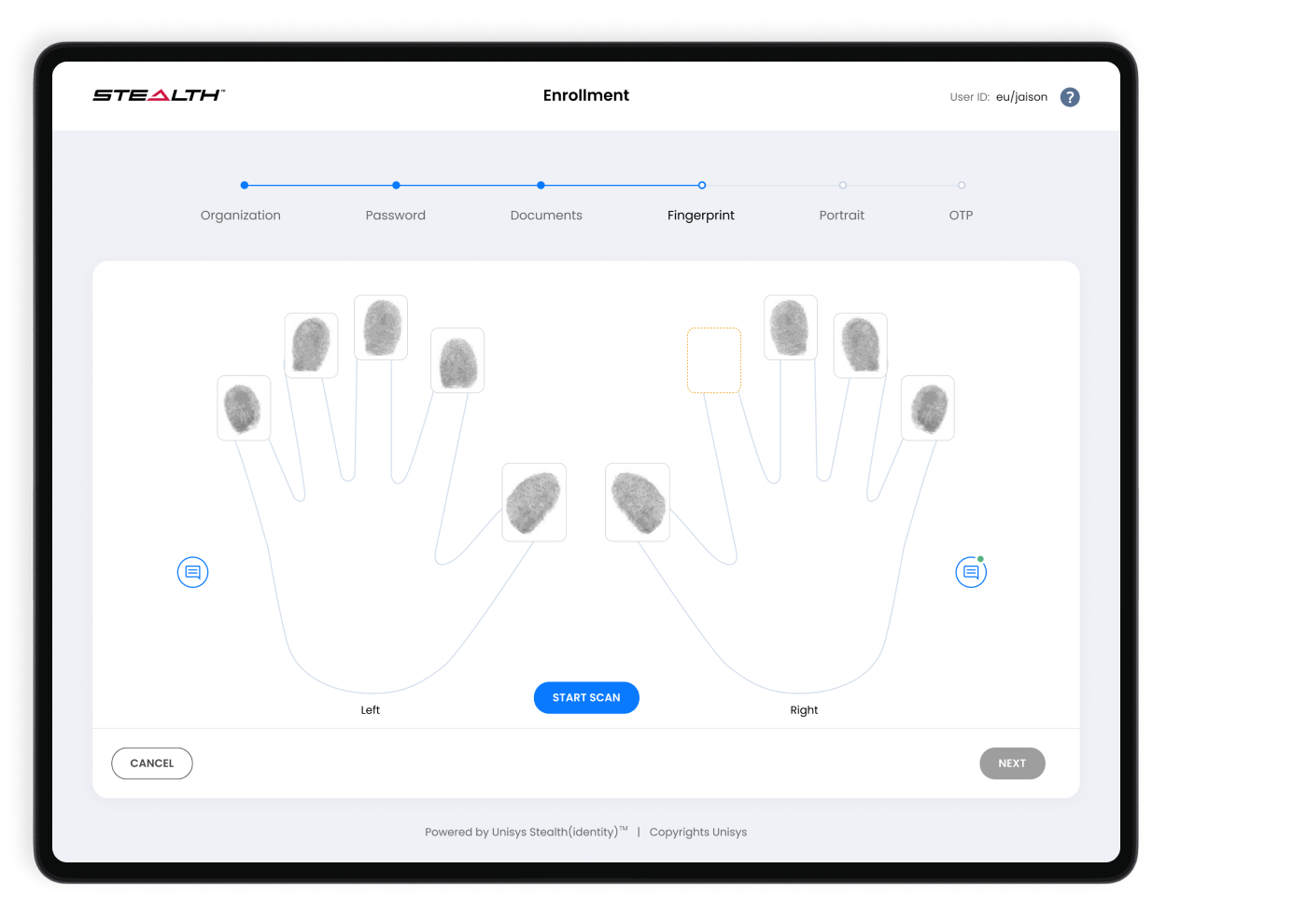
Shared colour and semantic foundations.Reusable form, status, data and upload components.Mobile document capture and review patterns.Fingerprint capture showing progress and quality state.Real-time face-quality guidance reduced uncertainty.Admin dashboard focused on status, outcomes and action.
Design decisions and impact
From design decisions to delivered value.
These final sections make the collaboration, quality and outcome behind the screens easy to assess.
Working together
Product, engineering and business alignment
Worked with product owners, biometrics specialists, engineers, QA and operational stakeholders. Design reviews focused on reducing ambiguity while preserving the controls required for secure identity decisions.
Accessibility and quality
Designed into the delivery
Improved status hierarchy, error recovery, form labelling, contrast and input guidance. Capture workflows were designed to communicate quality and next steps clearly across desktop and mobile contexts.
Results
Outcome delivered
The redesigned workflows improved task completion by 42% and gave operators clearer guidance across enrolment, capture, review and administration.
Reflection
What I’d explore next
This project reinforced the value of designing failure states as carefully as the ideal journey. Further work would test the experience with a wider range of devices, accessibility needs and low-connectivity conditions.